All of the mainline Ecco the Dolphin games have some sort of debug functionality hidden behind cheat codes. Codes for the Genesis games have been known for decades, and the codes for the PC and Dreamcast games were discovered more recently.
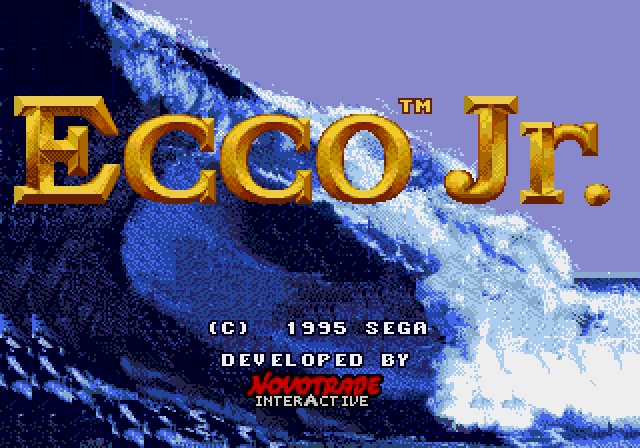
But what about Ecco Jr., the 1995 Genesis game aimed at younger kids that was published under the Sega Club label? Does it have a debug cheat?
Yes – I’ve rescued it from the tides of time. Details on how it works are below!
The debug menu cheat
To access the debug menu, start a new game. Once you’re in control of Ecco, enter this sequence. Hold down each button for a moment before moving to the next one – the code won’t be recognized if you tap too quickly:
A, B, C, C, C, C, B, C, A
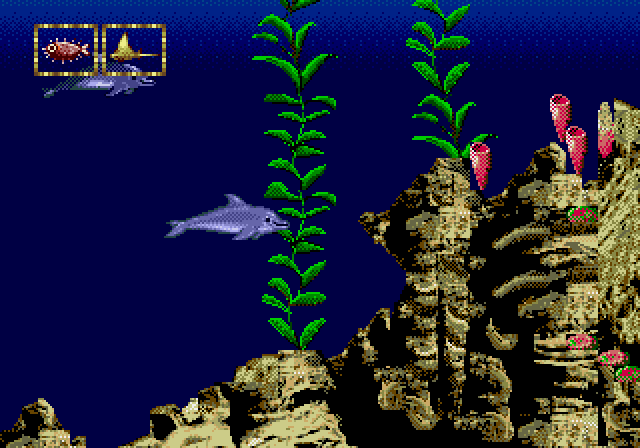
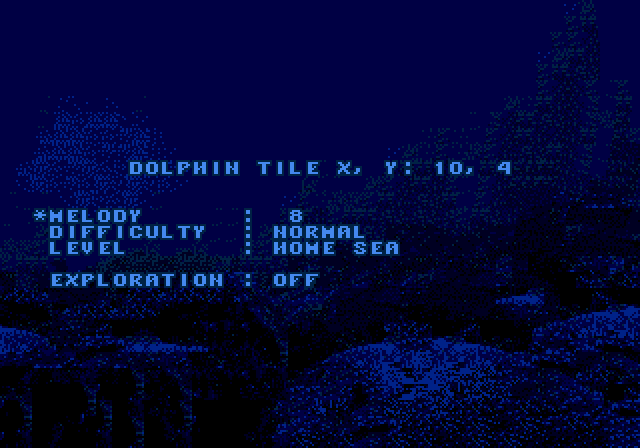
If you get it right, the debug menu will appear. Its items are:
- Dolphin tile: Ecco’s coordinates. Informational only.
- Melody: Change this with the D-pad to play the game’s various background songs and sound effects. Some of the effects don’t seem to be used in the game.
- Difficulty: Select Easy, Normal, or Hard. This changes the same setting that’s available from the Parent’s Options screen.
- Level: Use the D-pad to select a level to play. Press Start to warp there.
- Exploration: If set to Off, each level has a task to complete. If set to On, you can “search out the wonders of each ocean, without having to complete a task” (according to the manual).
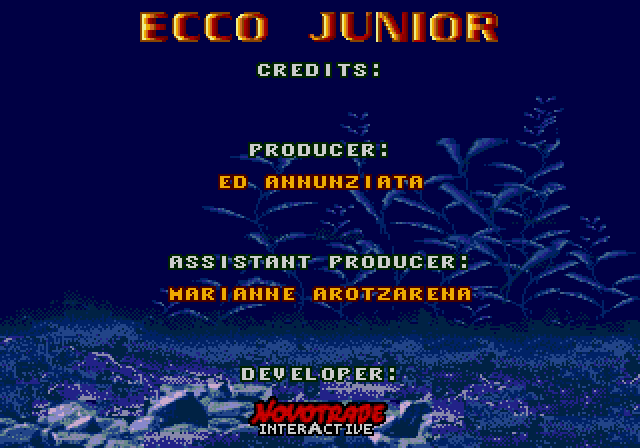
To see the game’s credits, warp to The Endless Sea and use Ecco’s sonar to sing to the whale Big Blue.

After the ending sequence, in which Ecco and friends do tricks for Big Blue, the staff roll will start.
That’s the cheat, but to quote the Ecco Jr. manual again, “the real fun is getting there.” So let’s look at how this code is implemented.
Technical details
The code sequence lives in the game ROM at 00002ca8. It uses the standard hex pattern-to-button mapping that most Genesis games use:
| Address  | Hex  | Button |
|----------|------|---------
| 00002ca8 | 0040 | A      |
| 00002caa | 0010 | B      |
| 00002cac | 0020 | C      |
| 00002cae | 0020 | C      |
| 00002cb0 | 0020 | C      |
| 00002cb2 | 0020 | C      |
| 00002cb4 | 0010 | B      |
| 00002cb6 | 0020 | C      |
| 00002cb8 | 0040 | A      |
| 00002cba | 0000 | End    |
As you enter the sequence, the value at ffffa866 advances to point to the next button.

Why do you have to enter the code slowly and deliberately? Because the game checks to make sure each button has been held down for five frame intervals. Here’s Ghidra’s decompilation of the relevant logic – I’ve supplied variable names and removed the non-essential lines:
cheat_pointer_ffffa866 = &code_buttons_00_00002ca8;
last_button = 0;
hold_timer = 5;
do {
  current_button = get_input_and_sync_000ac290();
  if (last_button == current_button) {
    hold_timer -= 1;
    if ((hold_timer == 0) && (current_button != 0)) {
      if (current_button == *cheat_pointer_ffffa866) {
        cheat_pointer_ffffa866 += 1;
        if (*cheat_pointer_ffffa866 == 0) {
          should_exit = debug_handler_0008c61a();
          if (should_exit != 0) goto LAB_00087f56;
        }
      } else {
        cheat_pointer_ffffa866 = &code_buttons_00_00002ca8;
        if (current_button == 0x40) {
          cheat_pointer_ffffa866 = &code_buttons_01_00002caa;
        }
      }
    }
  }
  else {
    last_button = current_button;
    hold_timer = 5;
  }
} while (true);
The function I’m calling get_input_and_sync_000ac290 waits for the next frame interval to start and returns the current controller button hex pattern. If that pattern persists for five iterations of the loop, it gets checked against the one that ffffa866 points to. If there’s a match, the pointer advances and the process repeats.
The end of the sequence is signaled with a 0000 pattern. Once it’s reached, control passes to the debug_handler_0008c61a function, which implements the debug menu controls described above.
Outro
For the sake of completeness, I also checked the Sega Pico game Ecco Jr. and the Great Ocean Treasure Hunt! for debug codes and didn’t find any. But I’m eager to find out whether the forthcoming new Ecco game will have one.
For more on games from Novotrade / Appaloosa, see my blog articles on:
- The Magic School Bus (Genesis)
- Three Dirty Dwarves (Saturn)
- Three Dirty Dwarves (PC)
- The Lost World: Jurassic Park (Saturn)
- Ecco the Dolphin: Defender of the Future (Dreamcast)
Thanks for reading – I’ll be back here are SEGAbits soon.